
Share photos & documents. Keep control.
View-once only works when you’re both on the same messaging app. All-About-PDF’s protection travels with the file, so you can send it any way you like and still decide how long it lasts, where it opens and who can open it.
Get All-About-PDF freeAlso on iPhone & iPad · Android · Windows, Mac & web
- Free download
- Photos & PDFs
- No DRM know-how needed
Why not just use view-once?
View-once is a great idea, but it only works inside one messaging app, and only if the other person uses it too.
View-once
- Only works if you’re both on the same app
- One look, then it’s gone
- No control over which devices can open it
- No way to trace a leak
All-About-PDF
- Send it by any app, email or a link
- Opens in the free app or any web browser
- Lasts an hour, a week or until a date you pick
- Lock it to a set number of devices, so it can’t be passed around
- Forensic watermarks help trace a leak
Your rules travel with the file
Protect a private photo, a copy of your ID or a contract before you share it. The protection stays with the file, whichever app you send it through.
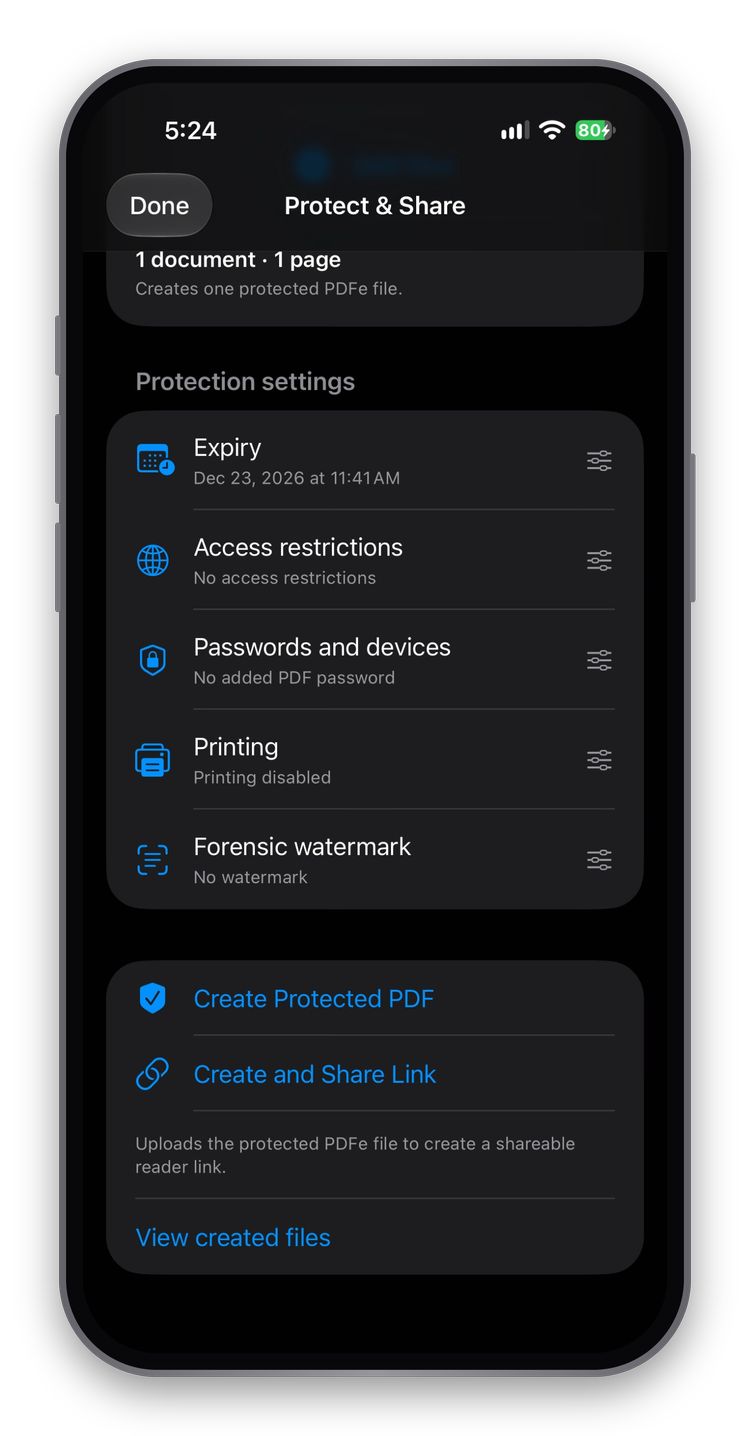
Expiry dates
An hour, a day, a week or a date you choose. After that, it won't open.
Screenshot protection
Blocks screen capture on supported devices.
Geofencing & access rules
Only let it open in the places you allow.
Device lock
Lock a photo or document to a set number of devices. Add a password too if you like.
Forensic watermarks
Each copy carries recipient-specific details, so a leak can be traced.
Printing control
Decide whether the recipient can print it.
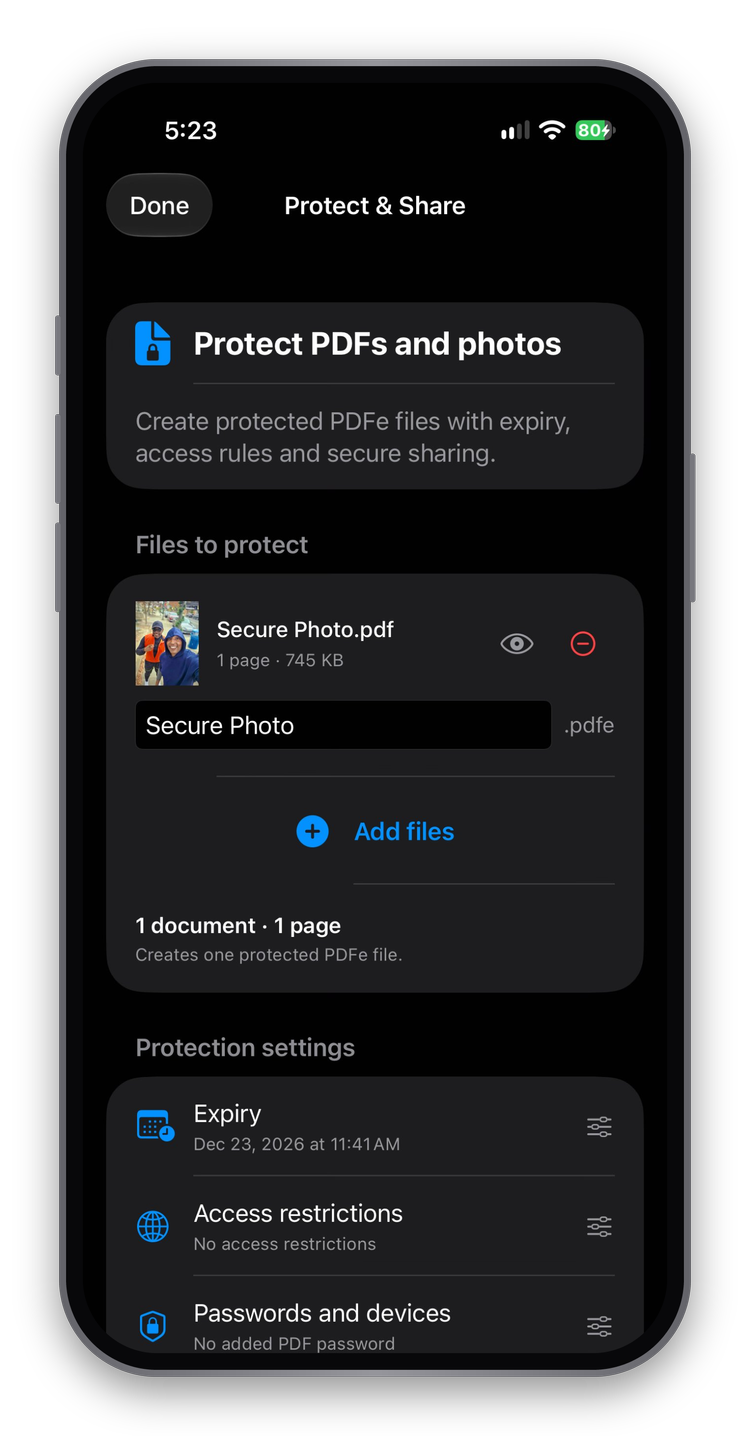
Protected and shared in three taps
Nothing technical to learn.
Add a photo or PDF
Open Protect & Share and tap Add files.
Set your rules
Expiry, access, passwords, devices, printing and watermark.
Share it
Send the protected file, or share a link that opens in any browser with nothing to install.
Plus a full PDF toolkit on Windows
All-About-PDF for Windows is a fast desktop app for everything else you do with PDFs, and your files are processed on your PC, not uploaded.
Download All-About-PDF
Pick your device.