
Disappearing messages and view-once photos taught us that not everything we share needs to last forever. But "one look, then gone" is a blunt tool.
What if you want a photo to stay available for three days instead of one glance? Or a document to open only while the recipient is in a particular country? Or a way to find out where a leaked copy came from?
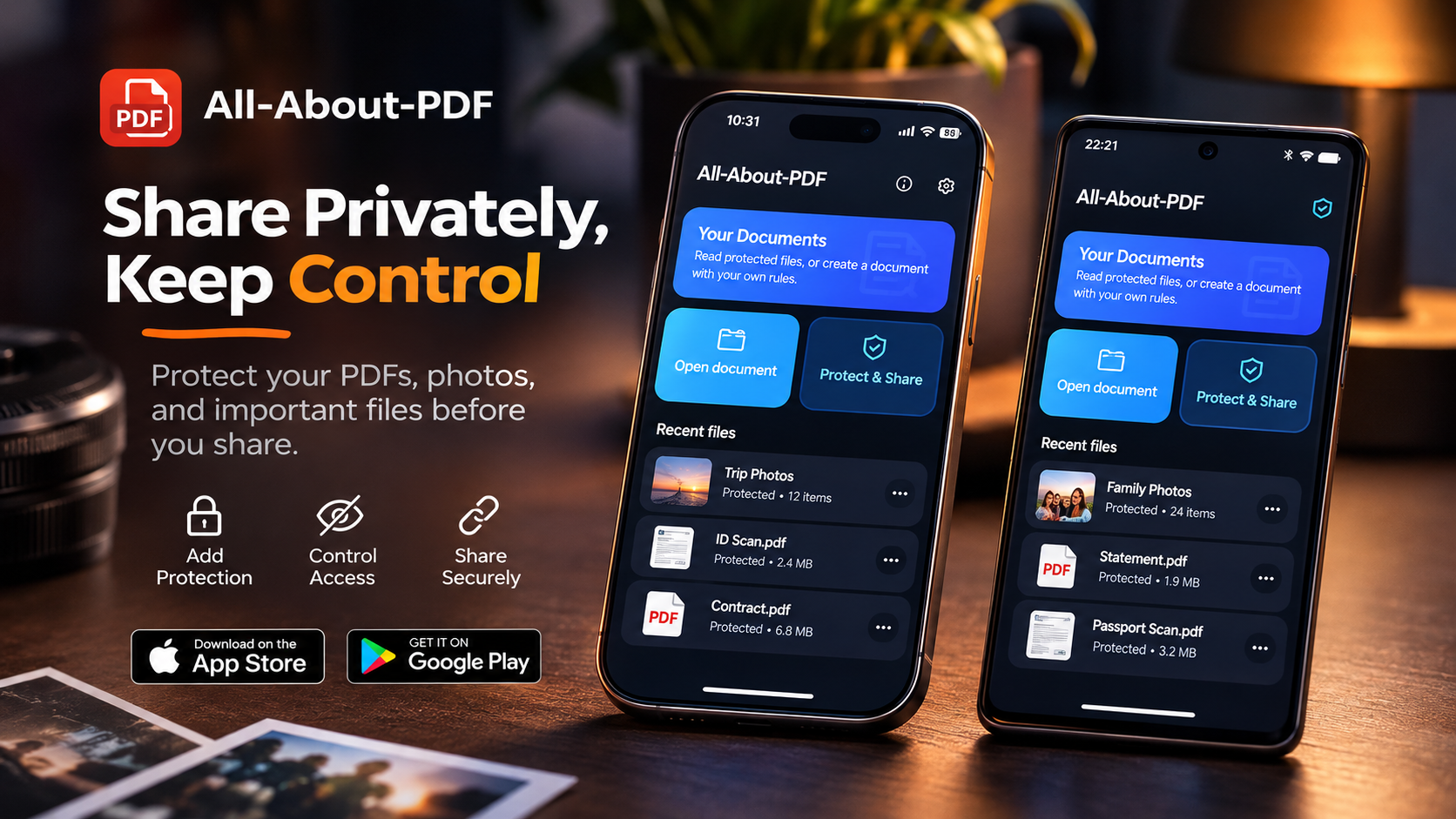
The new All-About-PDF lets you set those rules yourself. It's free on iOS and Android and, despite the name, it isn't just for PDFs.
Download for iPhone & iPad · Download for Android
The Problem With Hitting Send
Think about the last time you sent someone a personal photo, a copy of your ID or a financial document. You probably sent it through a messaging app, email or a shared link.
Once it left your phone, they had an unrestricted copy and you had no say in where it went next.
These aren't enterprise security problems. They're everyday privacy problems.
Protect a Photo in Three Steps
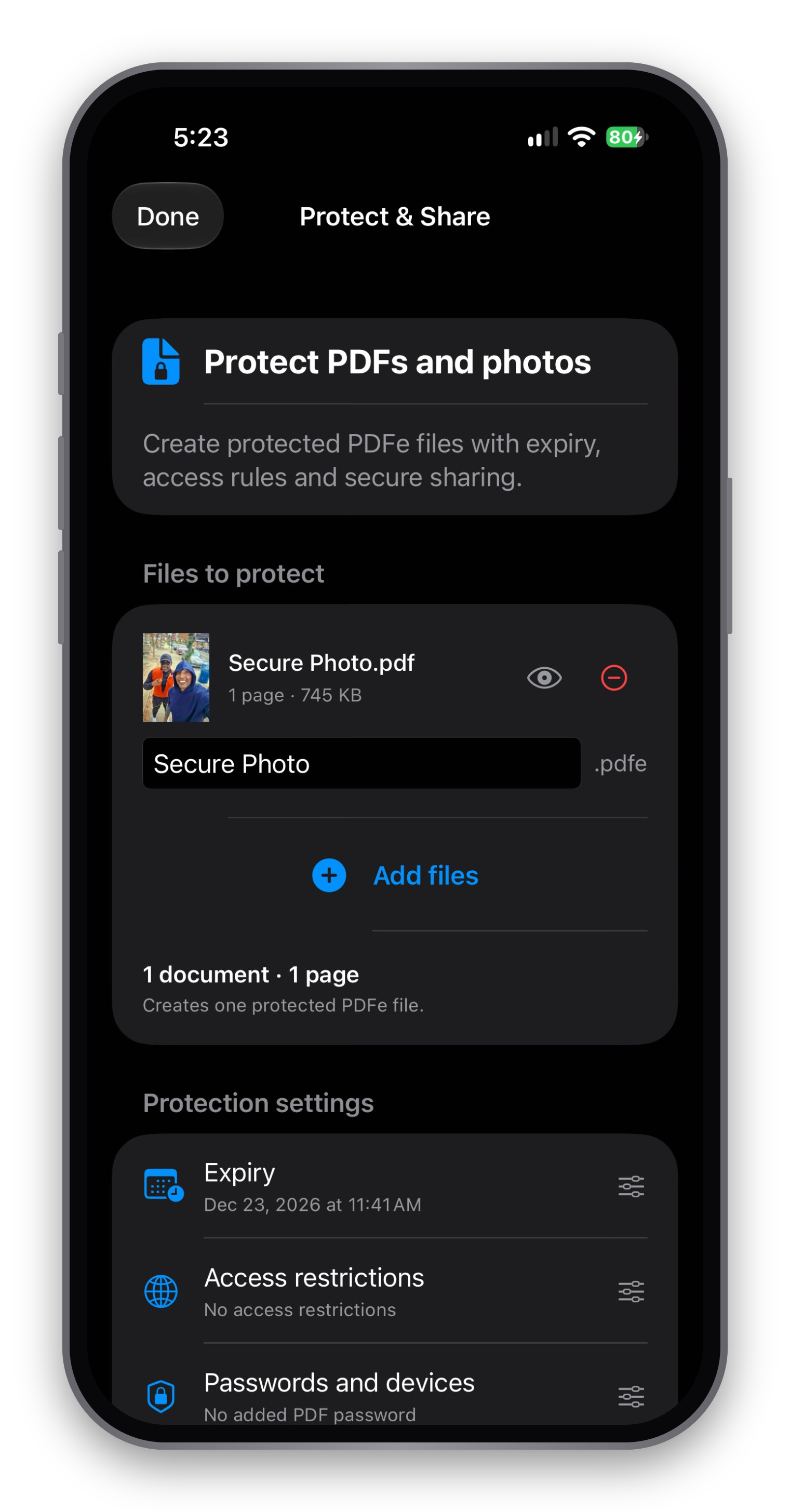
Pick what to share: open Protect & Share and tap Add files to choose a photo, a scan or a document.
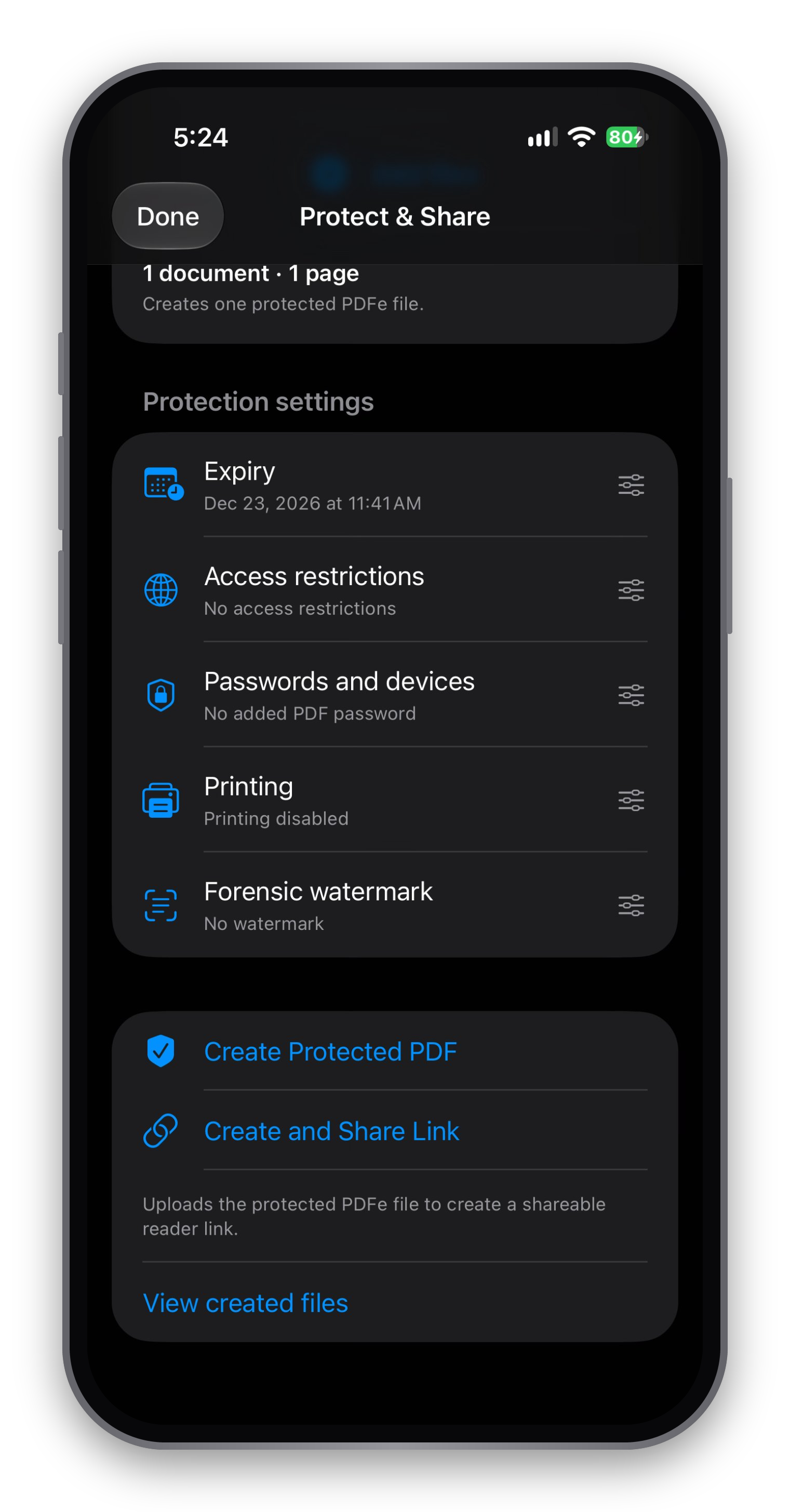
Set the rules: under Protection settings, choose the expiry date, access restrictions, passwords and devices, printing and a forensic watermark.
Share it: tap Create Protected PDF to make a PDFe file you can send, or Create and Share Link to get a link that opens in any browser.
The Controls You Get
Expiration dates: an hour, a day, a week or a specific date.
Screenshot protection: blocks screen capture on supported devices.
Geofencing: content only opens in locations you allow.
Forensic watermarks: each copy carries recipient-specific information, so a leak can be traced. How forensic watermarking works.
Access controls: put restrictions around who can open protected content.
Device limits: choose how many devices can open it.
The same controls work for contracts, personal records and anything else you'd rather not hand over permanently.
What Your Recipient Sees
You can share in two ways:
Send a link. It opens straight in their browser, so there's nothing to install.
Send the protected PDFe file. They open it in All-About-PDF, which is free for them too on iOS and Android.
Your rules apply either way.
Being Honest About the Limits
No software can stop someone photographing a screen with another device, and screenshot blocking depends on what the operating system allows.
The goal isn't to make copying impossible. It's to make unauthorized sharing harder, and traceable when it happens.
Two Apps Are Now One
If you used PDFe Creator to protect files and PDFe Reader to open them, both jobs are now done in All-About-PDF. You no longer need one app to protect a file and another to read it. Files you've already protected with PDFe Creator keep working, so nothing you've shared is affected.
And It's Free
Privacy tools shouldn't need an enterprise subscription. The All-About-PDF mobile app is a free download, and you don't need to know anything about DRM or encryption to use it. There are no feature limits. The only difference is on iOS, where you can pay to remove the ads.
Sharing something shouldn't mean giving up control of it.