
You are about to send a client a proposal, a report, or a price list you wrote weeks ago — and the details have moved on since then. The price changed. A colleague left. The company moved offices.
The mistake is almost never on the first page. It hides in a footer, a table on page nine, or a disclaimer copied from an older document — places you would never spot by skimming. The way to catch it is to audit the whole file, and every file like it, before anything leaves your computer.
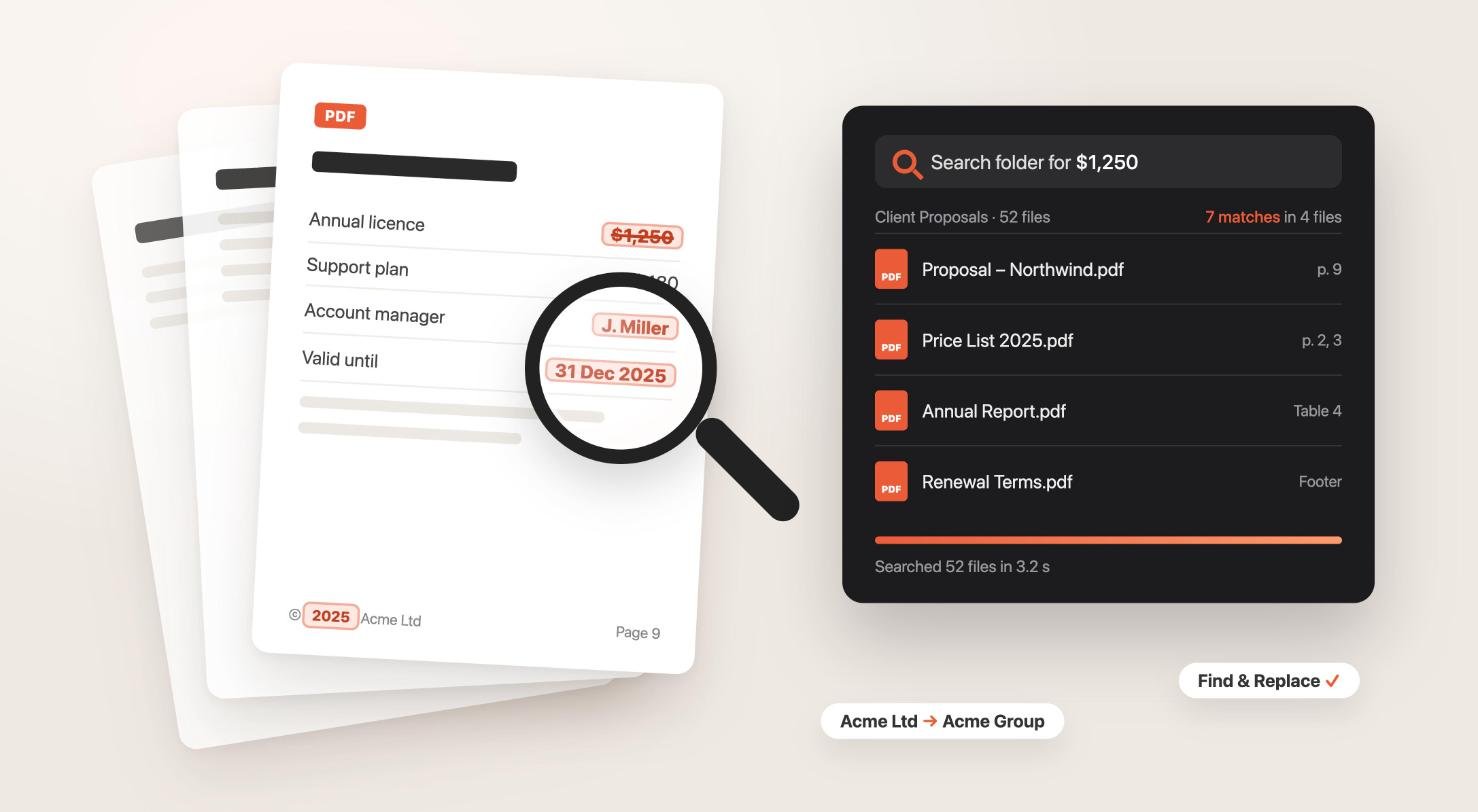
Audit before you send, not after
Most people check a PDF by reading it. That works for a two-page letter, not for a forty-page report — and certainly not for a folder of fifty documents going out to different clients.
An audit is a different habit. Instead of reading, you search. You pick the details most likely to be wrong — old names, old prices, old dates, old addresses — and search for every occurrence across every file you are about to share. What you find tells you exactly which documents need fixing.
Make a short list before you start: the old company or product name, the previous price of anything you sell, the name of anyone who has left or changed roles, the old address and phone number, and last year's dates. Keep the list somewhere handy — you will add to it every time an audit catches something.
Search a whole folder at once
The slow way is to open each PDF and use its built-in search. The fast way is to search the whole folder in one go. All About PDF can search for text across hundreds of PDF files at once, so one search tells you every file containing an old price or an old name — and every page it appears on. A folder that would take an afternoon to open file by file is checked in minutes, because the search runs across all your processor cores at once.
One tip: search for the old text, not the new text. The new name only shows where the update is already done; the old one shows where the work still is.
Use wildcards for the numbers that keep changing
Some details never appear in exactly the same form twice. A price might be $1,250 in one document, $1250.00 in another, and 1,250 USD in a third. A date might be 03/11/2025 in one file and November 3, 2025 in the next.
Wildcard patterns solve this. Instead of typing every variation, you describe the shape of the text you are looking for — any price in dollars, any four-digit year, any phone number with a certain pattern. One wildcard search can catch every price in a document, or every date from a year you want to leave behind.
Check the places people forget
Outdated details love the parts of a document nobody reads closely:
Footers and headers. Old addresses and copyright years live here, repeated on every page.
Cover pages. The date and version number are often copied from the last version and never updated.
Tables and price lists. A single row can carry the old figure while the rest of the table is current.
Appendices and disclaimers. Legal text gets copied from document to document for years, carrying old names and dates with it.
Search the whole document, not just the body text. A proper search covers headers, footers, tables, and captions too — that is where the stale details hide.
Fix what you find, then search again
An audit is only half the job. When the search turns up an old price in six files, fix it in all six — ideally with a batch find and replace across the folder, so you change every occurrence at once. Then run the same search again. If the old text still turns up anywhere, you will know exactly which file needs another look.
That second search is the step most people skip, and it is the step that catches the stragglers. A clean result — zero matches for the old name, the old price, the old date — is the moment you can send with confidence.
Keep the audit private
The documents you audit are usually the sensitive ones: client proposals with real prices, contracts with real names, reports with real figures. Sending them to a free website to be searched or converted means uploading all of that to a server you do not control. Searching and fixing files locally keeps everything on your own machine — nothing is uploaded, and nothing is stored elsewhere.
Make it a five-minute habit
The first audit takes a little setup: the list, the wildcard patterns, the search across the folder. After that, it is a habit — run the searches before a proposal goes out, and again before a report is shared. Five minutes of checking saves the email you would rather not have to send — the one that starts "please ignore the price on page nine."
Try it with All About PDF: open the desktop app, choose Find & Replace, and search a whole folder of PDFs for an old name, price, or date — then fix every match in one batch, all processed locally on your own computer.