Just like clockwork, Apple offered us a glimpse of whats coming to iOS and iPadOS at it annual WWDC conference. We took the bullet for you and installed the beta versions on our iPad and iPhone to see whats new. Even though there are a lot of new features coming in the next iteration of the operating systems, here are our top 5 productvity features that we are looking forward to.
Quick Notes (iPadOS)
This feature will change the way you use your iPad. By simply swiping up from the bottom-right corner of the device, you summon a new note that floats above whatever app you are currently using. You can then quickly note or type in whatever comes to mind and then swipe it away when you are done. You can also swipe between quick notes (like paging) and also move the quick note "window" anywhere on the screen.

Improved Multitasking (iPadOS)
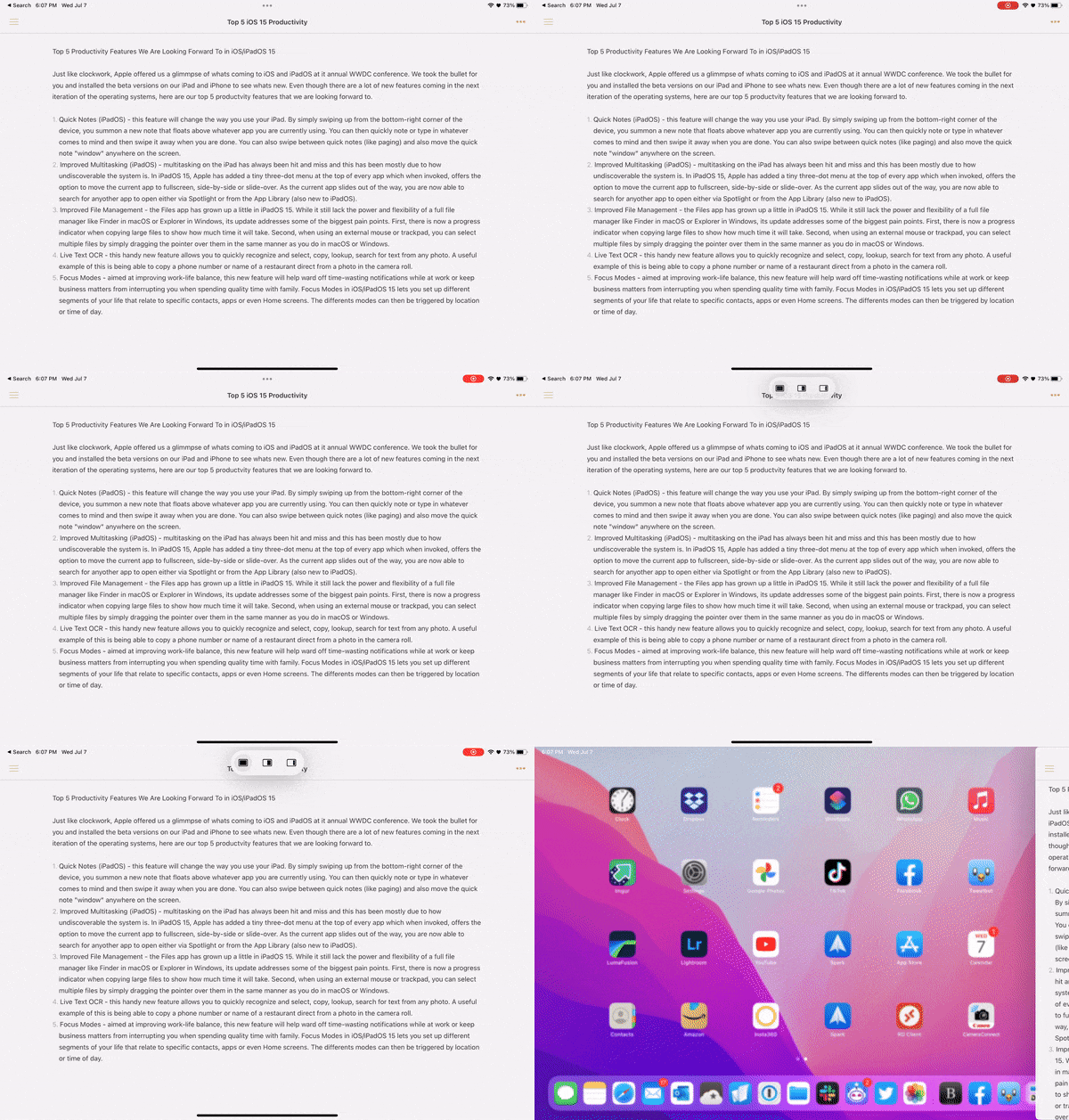
Multitasking on the iPad has always been hit and miss and this has been mostly due to how undiscoverable the system is. In iPadOS 15, Apple has added a tiny three-dot menu at the top of every app which when invoked, offers the option to move the current app to fullscreen, side-by-side or slide-over. As the current app slides out of the way, you are now able to search and launch any other app either via Spotlight or from the App Library (also new to iPadOS).
Improved File Management
The Files app has grown up a little in iPadOS 15. While it still lack the power and flexibility of a full file manager like Finder in macOS or Explorer in Windows, its update addresses some of the biggest pain points. First, there is now a progress indicator when copying large files to show how much time it will take. Second, when using an external mouse or trackpad, you can select multiple files by simply dragging the pointer over them in the same manner as in macOS or Windows.
Live Text OCR
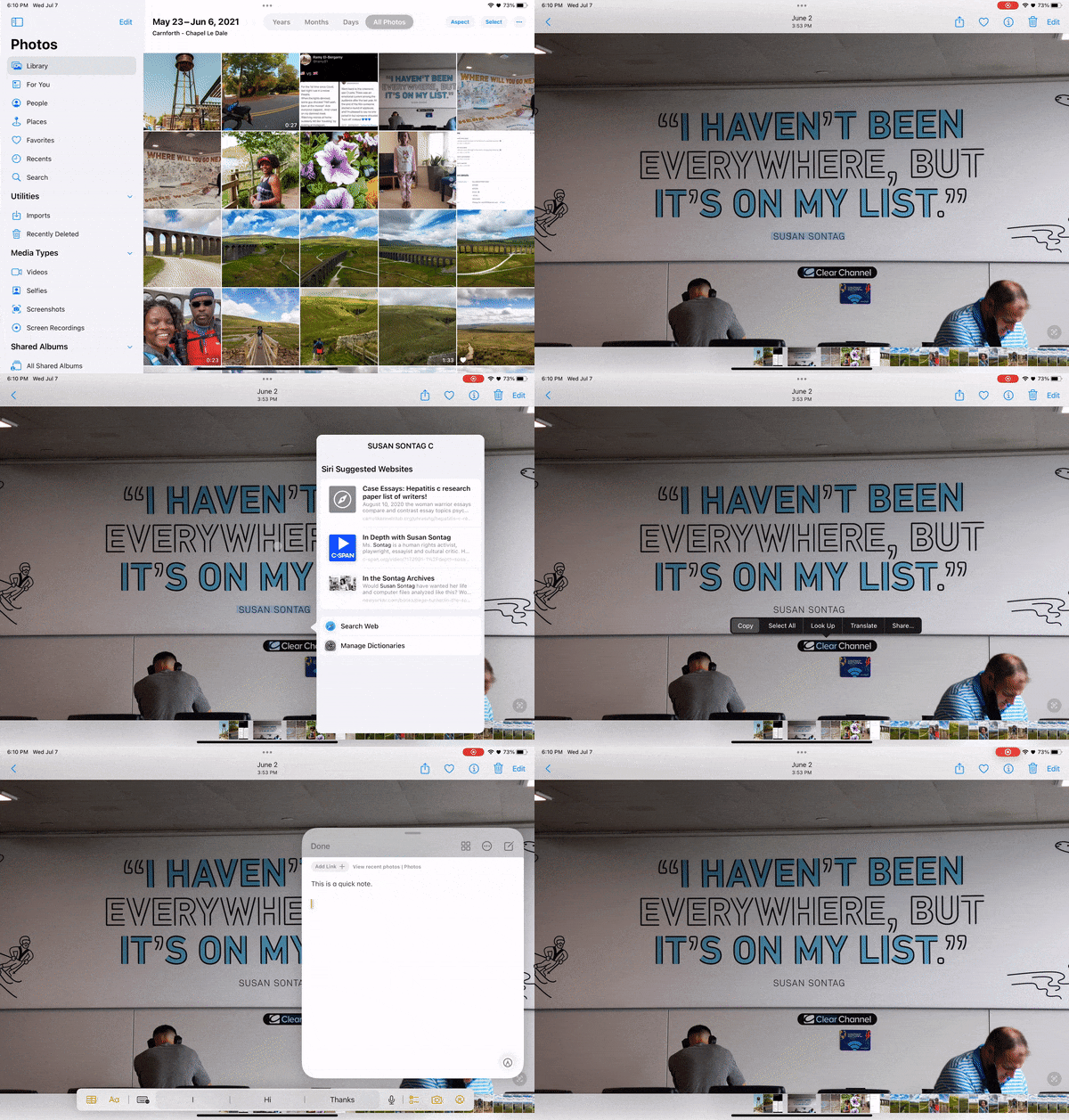
This handy new feature allows you to quickly recognize and select, copy, lookup, search for text from any photo. A useful example of this is being able to copy a phone number or name of a restaurant directly from a photo in the camera roll.
Focus Modes
Aimed at improving work-life balance, this new feature will help ward off time-wasting notifications while at work or keep business matters from interrupting you when spending quality time with family. Focus Modes in iOS/iPadOS 15 lets you set up different segments of your life that relate to specific contacts, apps or even Home screens. The differents modes can then be triggered by location or time of day.

Which features are you looking forward to most in iPadOS and iOS 15? Hit us up on Twitter and let us know.